Build · Backtest · Trade

Automate your crypto trading, your way.

A desktop platform to build strategies, backtest them over years of data, optimize with machine learning, and run bots that trade for you — while your API keys never leave your PC.

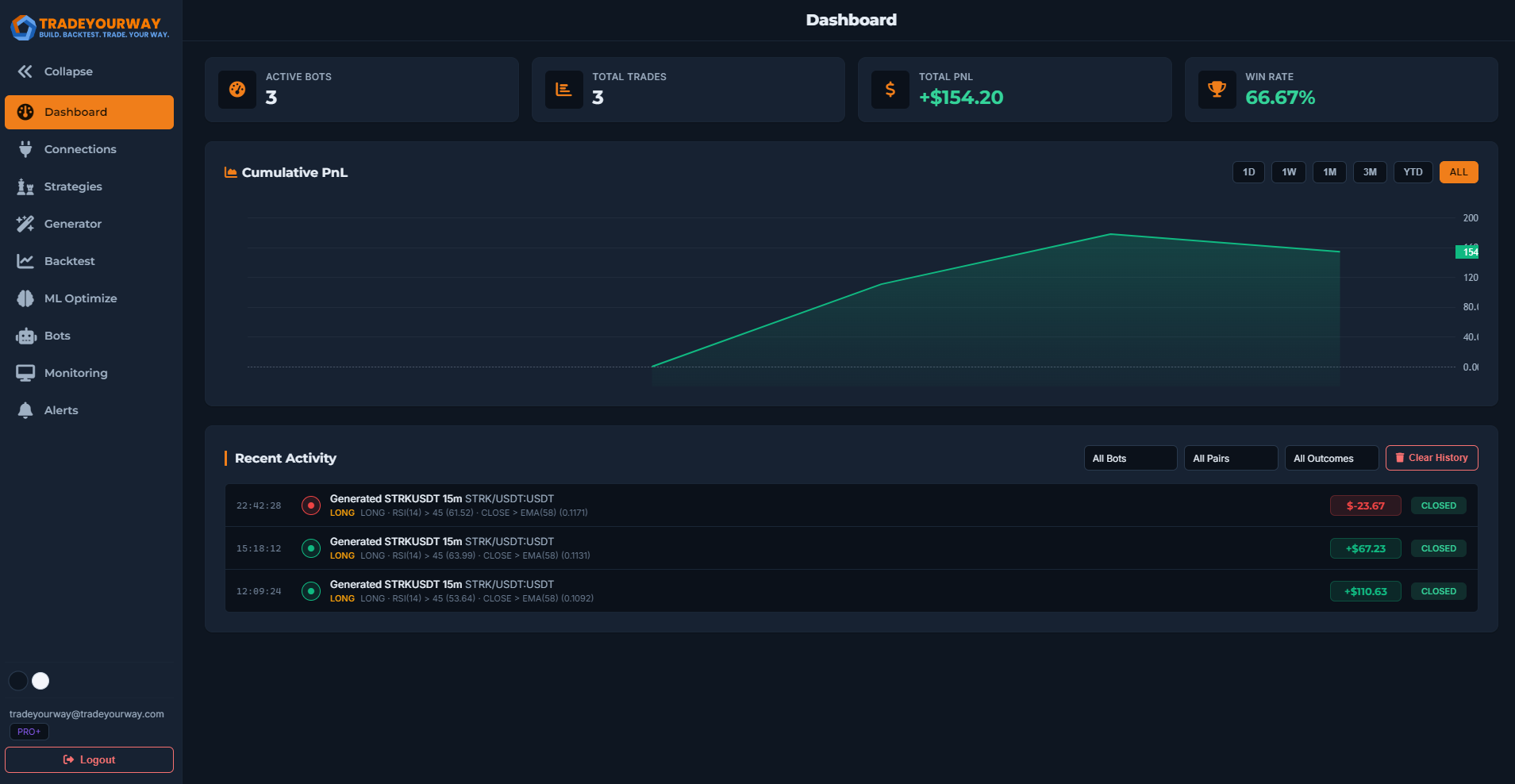
TradeYourWay dashboard
Your keys, your PC
100% local & secure

50+

Technical indicators

6

Supported exchanges

50K

Backtest candles

100%

Local & private

What you can do

Everything to trade smart, and safe

From idea to live bot — build, validate and automate without writing code.

ML Strategy Generator

Auto-discover strategies with Optuna: a blind search blended with hypothesis-driven seeds (momentum, mean-reversion, breakout), each checked with walk-forward validation so they hold up on unseen data.

Advanced Backtesting

Test over up to 50,000 candles — single pair, multipair or full portfolio with correlation filtering and detailed trade-by-trade breakdowns.

Live Bots

TP/SL, swing, condition and alert-only bots running 24/7.

Real Stop-Loss

Placed on the exchange, so you're protected even if the app is closed.

ML Optimization

Tune TP/SL, leverage and indicator params against Sharpe, return, win rate or profit factor.

Telegram Alerts

Signals, daily reports and a ping whenever a safety limit stops a bot.

Get started

Up and running in three steps

01

Create your account

Sign up free on the web — no credit card, no commitment.

02

Download the app

Install the desktop app for Windows or Linux and log in.

03

Connect & trade

Add an exchange (or paper account), build a strategy and launch a bot.

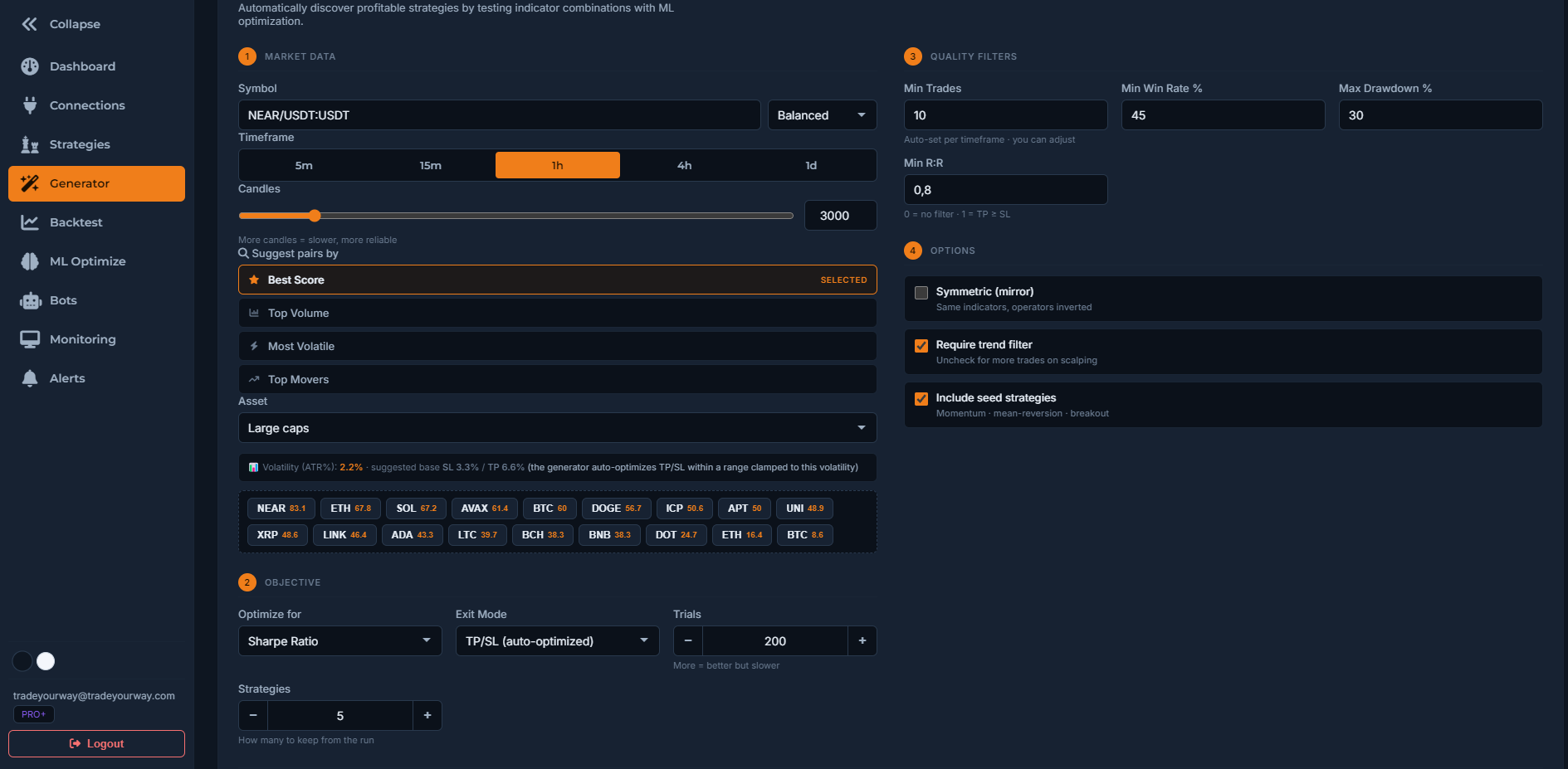
ML strategy generator
Strategy generator

Let the machine find your edge

Point it at a pair and timeframe, and the generator searches thousands of indicator combinations — then validates the survivors across multiple out-of-sample windows.

  • Blind search + economically-grounded seeds
  • Walk-forward robustness checks
  • Pair suggestions scored by strategy profile
  • Launch a bot straight from the results
Local & secure by design

Your money stays under your control

TradeYourWay runs on your machine. The trading engine listens only on localhost — there's no external server touching your funds.

  • API keys never leave your PC
  • Real stop-loss placed on the exchange
  • Auto-stops: max drawdown, consecutive losses, revalidation
  • Paper & testnet modes to practice risk-free
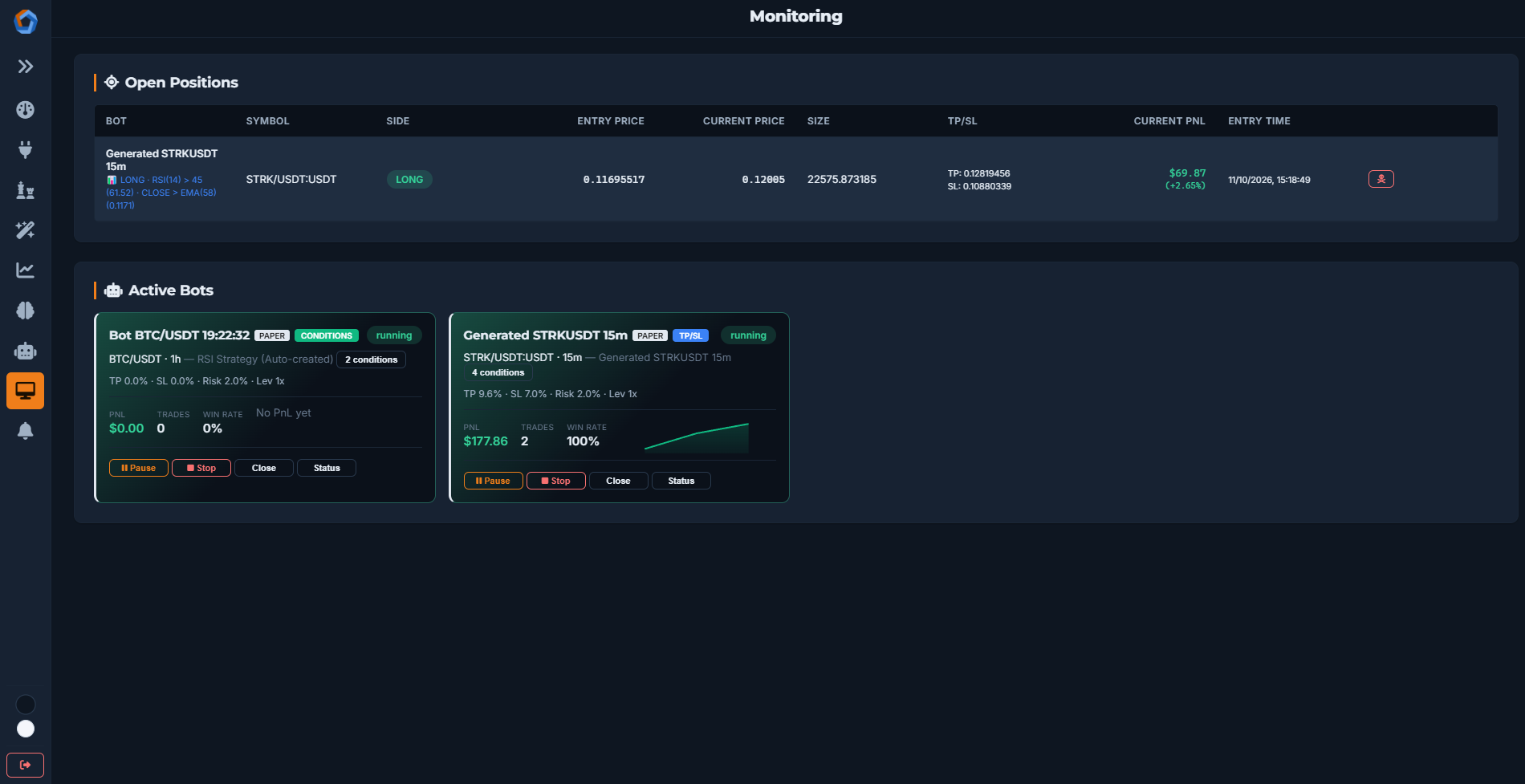
Bot management and safety controls
Under the hood

A complete trading toolkit

Multi-Exchange

Binance, Bybit, OKX, Kraken Futures, Bitget and KuCoin. Testnet for Binance & Bybit.

Portfolio Backtests

Combine uncorrelated pairs with equal, Sharpe-weighted or risk-parity allocation.

Strategy Builder

Combine 50+ indicators with custom entry/exit conditions — no coding.

Per-cycle Revalidation

Bots recheck that a strategy is still profitable and stop if the edge fades.

Cost-aware Pairs

Pair suggestions filter out spreads and volatility that can't cover trading costs.

Local Database

Everything stored locally in SQLite (WAL) — fast, private, offline-friendly.

Pricing

Start free, upgrade when you grow

Every account starts on Free. Paid plans are coming soon.

Free
$0/forever
  • 1 active bot
  • 10 saved strategies
  • 5,000 candles
  • 25 ML trials
  • Portfolio analysis
Create Free Account
Pro+ Coming soon
$15.99/month
  • 10 active bots
  • 30 saved strategies
  • 50,000 candles
  • 500 ML trials
  • Priority support
Start free first
FAQ

Questions, answered

Is it really free?

Yes. The Free plan is free forever and includes backtesting, the strategy generator, portfolio analysis and one live bot. Paid plans (coming soon) raise the limits.

Where are my exchange API keys stored?

Only on your own computer. The trading engine runs locally and listens on localhost only — your keys are never sent to us or any external server.

Which exchanges are supported?

Binance, Bybit, OKX, Kraken Futures, Bitget and KuCoin. Testnet is available for Binance and Bybit, plus a paper-trading mode to practice without real money.

Do the bots place real orders?

Yes — once you connect a real exchange and start a bot, it executes real trades on your account, including a real stop-loss placed on the exchange. Practice on paper/testnet first, and never risk more than you can afford to lose.

Do I need to know how to code?

No. You build strategies visually by combining indicators and conditions, or let the ML generator create them for you.

What do I need to run it?

A Windows or Linux PC. You download the desktop app after creating your free account.
Ready to trade your way?

Create a free account, download the app, and launch your first bot today.